

Feature
Apps and mobility
One extension, wherever the person is. The office number rings on a laptop in the office, a phone in a matatu, and a handset on the desk, and the client never learns anyone's private number.
What it does
The same extension on every device
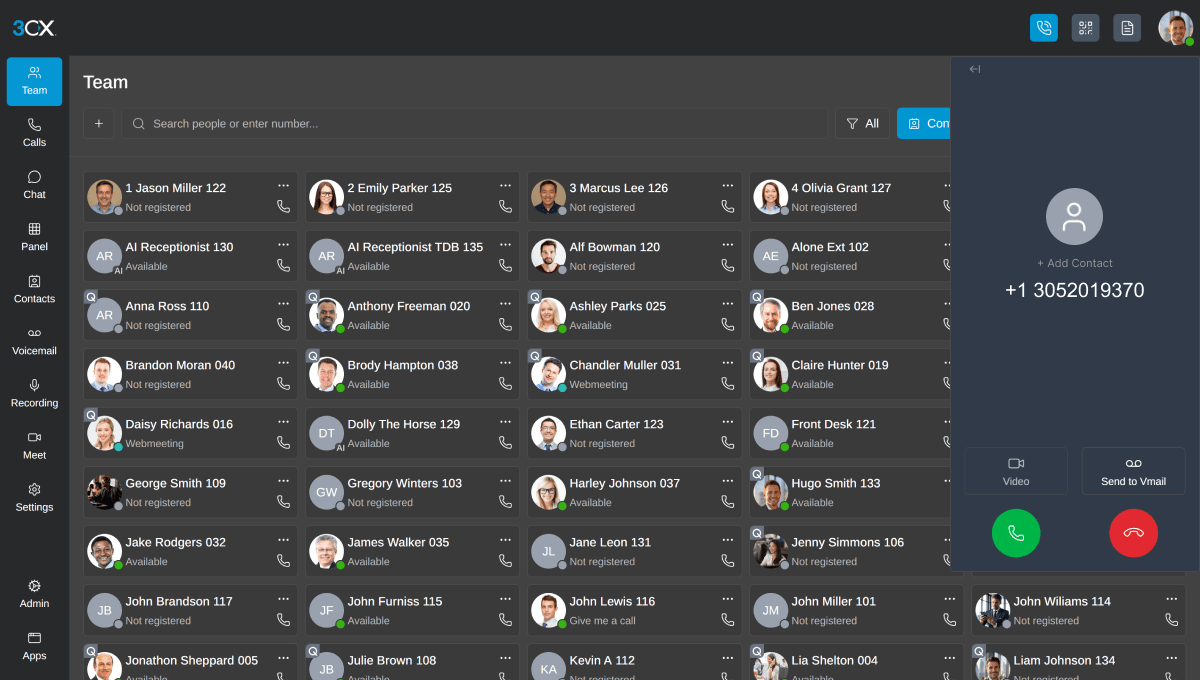
A web client in the browser, a desktop app for Windows, and apps for iPhone and Android. Answer on the laptop, carry on from the phone on the way out.
Desk phones where they suit
Reception usually wants a real handset. Supported deskphones configure themselves from the system, so a replacement is plugged in rather than set up. At an office away from the system, they connect as router phones or through the 3CX SBC.
Presence, so you stop guessing
You can see who is free, who is on a call and who is out, before you transfer a client to a phone that will ring at an empty desk.
The business keeps the number
When someone leaves, their extension moves. The relationships they built stay with the company, because clients were calling the company all along.
Which edition you need
| Capability | Basic | Pro | AI |
|---|---|---|---|
| Web, desktop, iPhone and Android apps | Included | Included | Included |
| Desk phones | Included | Included | Included |
| Hot desking | Not included | Included | Included |
| Remote phones through the built-in SBC | Included | Included | Included |
See it on a real system
A 30-minute session on a live system, walked through in your own terms. No obligation.
We confirm your slot within 24 hours. Prefer to write? Email or message us.